> ## Documentation Index
> Fetch the complete documentation index at: https://docs.utilified.com/llms.txt
> Use this file to discover all available pages before exploring further.
# Agreements
> Track energy contracts between your accounts and suppliers — contract terms, rates, dates, and the connections each agreement covers.
Agreements represent energy contracts between your accounts and suppliers. They track contract terms, rates, start and end dates, and the connections covered by each agreement.
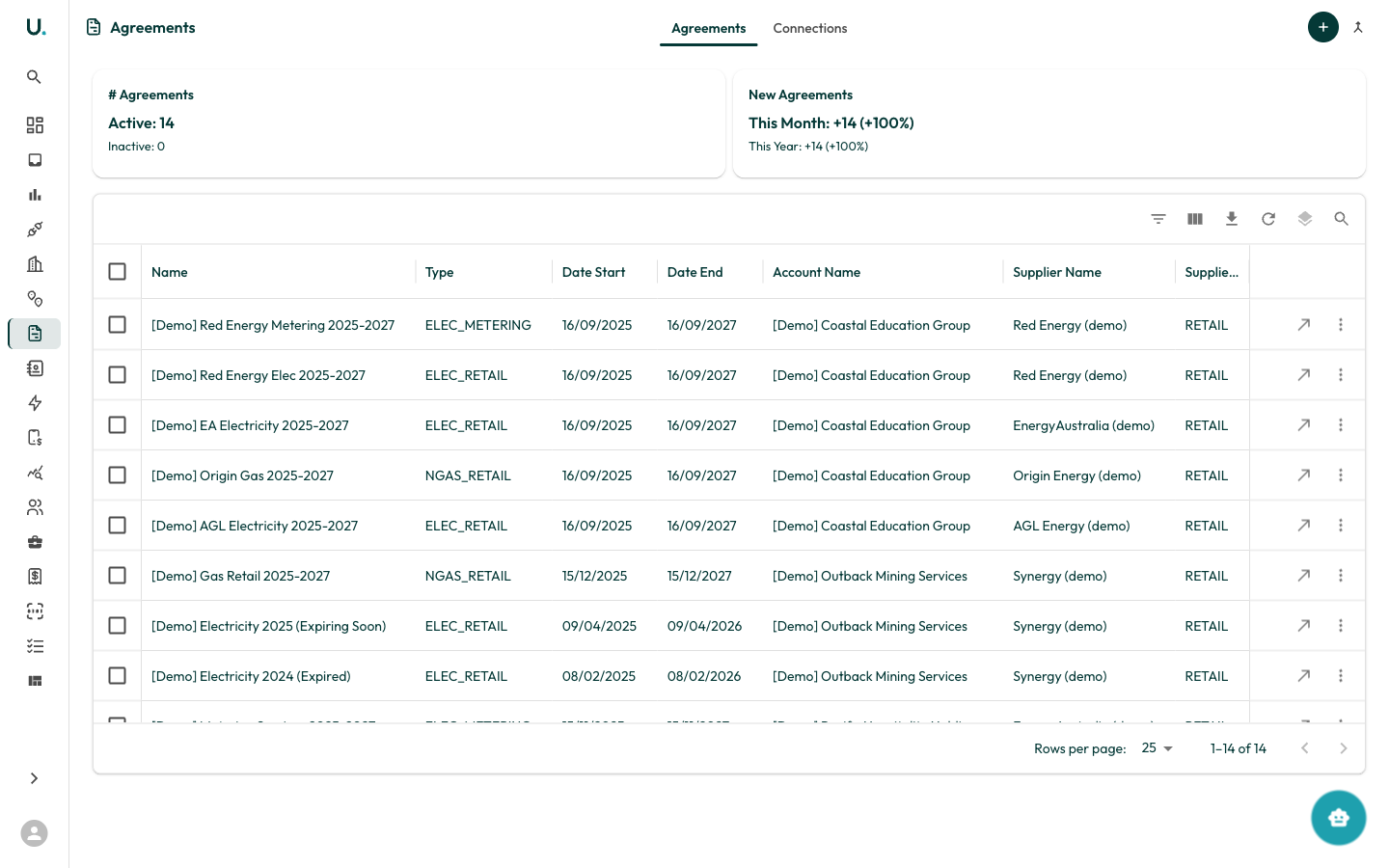 ## Agreements list
The Agreements page has two tabs: **Agreements** and **Connections**.
### Agreements tab
Displays all agreements in a data grid:
| Column | Description |
| ----------------- | ------------------------------------------------------------------------ |
| **Name** | The agreement name or reference |
| **Type** | Agreement type — for example, ELEC\_RETAIL, ELEC\_METERING, NGAS\_RETAIL |
| **Date Start** | When the agreement begins |
| **Date End** | When the agreement expires |
| **Account Name** | The account this agreement belongs to |
| **Supplier Name** | The energy supplier or retailer |
| **Supplier Type** | Whether the supplier is RETAIL or METER |
Summary cards show:
* **# Agreements** — Total active and inactive
* **New Agreements** — Added this month and year with growth percentages
### Connections tab
Shows which connections are linked to each agreement, helping you verify that all meters are covered by a current contract.
### Creating an agreement
Click the **+** button in the top-right corner. You need to specify the agreement name, type, dates, account, and supplier.
For a detailed walkthrough, see the [Managing Agreements](/guides/managing-agreements) guide.
### Agreement types
| Type | Description |
| ------------------ | ----------------------------------- |
| **ELEC\_RETAIL** | Electricity retail supply agreement |
| **ELEC\_METERING** | Electricity metering agreement |
| **NGAS\_RETAIL** | Natural gas retail supply agreement |
| **WATER\_RETAIL** | Water retail supply agreement |
## Agreements list
The Agreements page has two tabs: **Agreements** and **Connections**.
### Agreements tab
Displays all agreements in a data grid:
| Column | Description |
| ----------------- | ------------------------------------------------------------------------ |
| **Name** | The agreement name or reference |
| **Type** | Agreement type — for example, ELEC\_RETAIL, ELEC\_METERING, NGAS\_RETAIL |
| **Date Start** | When the agreement begins |
| **Date End** | When the agreement expires |
| **Account Name** | The account this agreement belongs to |
| **Supplier Name** | The energy supplier or retailer |
| **Supplier Type** | Whether the supplier is RETAIL or METER |
Summary cards show:
* **# Agreements** — Total active and inactive
* **New Agreements** — Added this month and year with growth percentages
### Connections tab
Shows which connections are linked to each agreement, helping you verify that all meters are covered by a current contract.
### Creating an agreement
Click the **+** button in the top-right corner. You need to specify the agreement name, type, dates, account, and supplier.
For a detailed walkthrough, see the [Managing Agreements](/guides/managing-agreements) guide.
### Agreement types
| Type | Description |
| ------------------ | ----------------------------------- |
| **ELEC\_RETAIL** | Electricity retail supply agreement |
| **ELEC\_METERING** | Electricity metering agreement |
| **NGAS\_RETAIL** | Natural gas retail supply agreement |
| **WATER\_RETAIL** | Water retail supply agreement |