> ## Documentation Index
> Fetch the complete documentation index at: https://docs.utilified.com/llms.txt
> Use this file to discover all available pages before exploring further.
# Managing Tariffs
> Create and manage tariff rate structures in UMS with the Tariff Creation Wizard — used to validate invoice charges and run brokerage commission calculations.
Tariffs define the rate structures that energy retailers charge. They are essential for invoice validation and brokerage calculations.
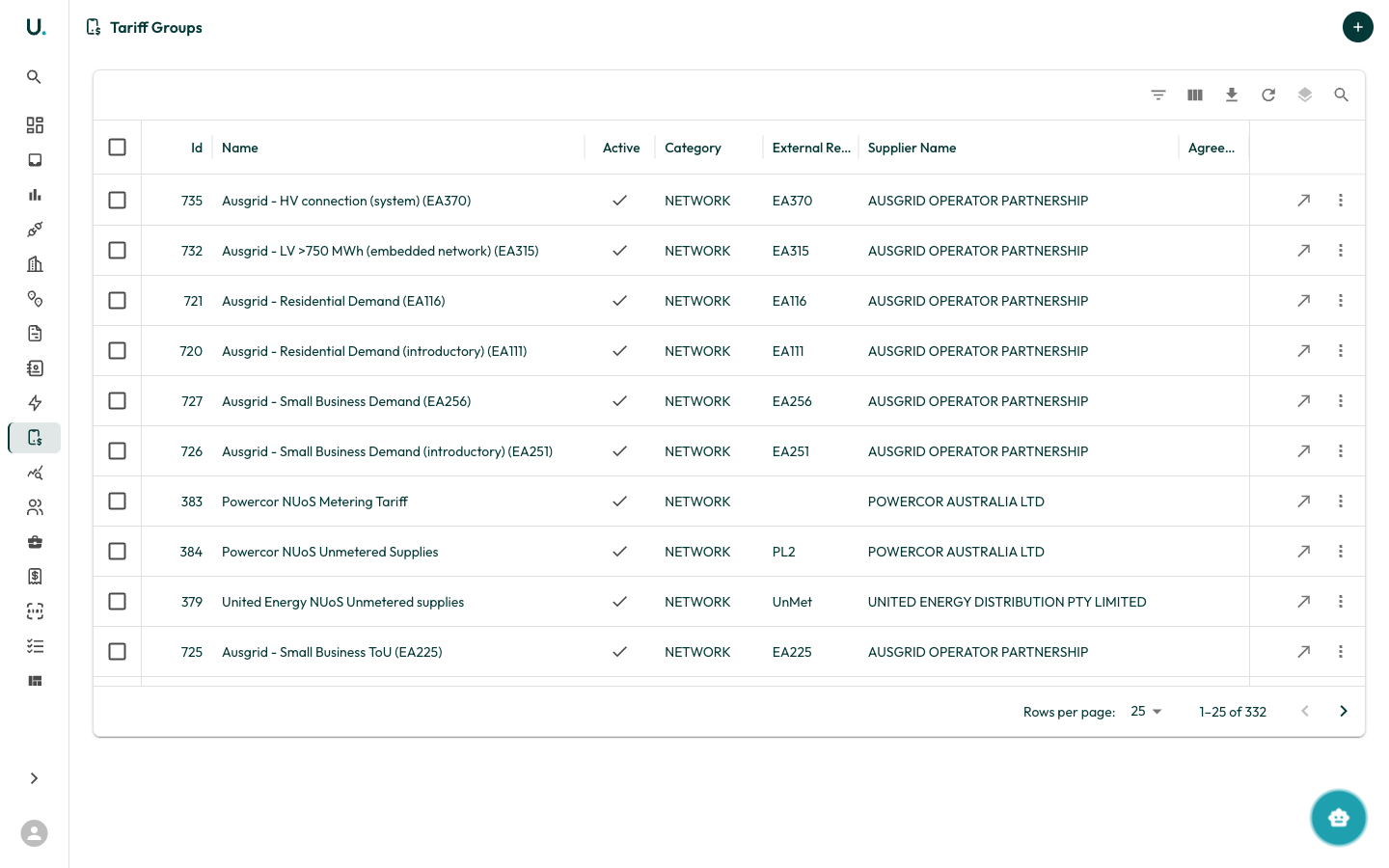
## Viewing tariffs
Navigate to the **Tariffs** page from the sidebar.
 ## Creating a tariff
Tariffs are typically created from within an agreement's **Tariffs** tab.
Navigate to an agreement's detail page.
Click the **Tariffs** tab.
Click **New Tariff** to open the Tariff Creation Wizard.
### Tariff wizard steps
Choose whether to start from an existing tariff template or create from scratch.
Select how you want to enter tariff rates:
* **Manual Entry** — Build the tariff structure interactively.
* **CSV Upload** — Import rates from a CSV file.
Configure the tariff group:
* **Tariff Group Name** — Descriptive name for the tariff
* **Supplier** — The energy retailer (pre-filled from agreement)
* **Agreement** — The linked agreement (pre-filled)
* **Effective Dates** — When this tariff applies
**Manual mode:**
* Add time periods (for example, Peak, Off-Peak, Shoulder).
* For each period, add rates with:
* Description
* Rate value
* Unit (c/kWh, \$/day, and so on)
* Applicable factors
**CSV mode:**
* Upload a CSV file with columns for period, description, rate, and unit.
* The system validates the CSV and shows any errors.
Preview the complete tariff configuration and submit.
## Key concepts
| Term | Description |
| ------------------ | ----------------------------------------------------------------------- |
| **Tariff Group** | The overall rate plan linked to an agreement |
| **Period** | A time block within the tariff (for example, Peak, Off-Peak) |
| **Rate** | An individual charge component (for example, usage rate, supply charge) |
| **Effective Date** | When the tariff rates take effect |
## Creating a tariff
Tariffs are typically created from within an agreement's **Tariffs** tab.
Navigate to an agreement's detail page.
Click the **Tariffs** tab.
Click **New Tariff** to open the Tariff Creation Wizard.
### Tariff wizard steps
Choose whether to start from an existing tariff template or create from scratch.
Select how you want to enter tariff rates:
* **Manual Entry** — Build the tariff structure interactively.
* **CSV Upload** — Import rates from a CSV file.
Configure the tariff group:
* **Tariff Group Name** — Descriptive name for the tariff
* **Supplier** — The energy retailer (pre-filled from agreement)
* **Agreement** — The linked agreement (pre-filled)
* **Effective Dates** — When this tariff applies
**Manual mode:**
* Add time periods (for example, Peak, Off-Peak, Shoulder).
* For each period, add rates with:
* Description
* Rate value
* Unit (c/kWh, \$/day, and so on)
* Applicable factors
**CSV mode:**
* Upload a CSV file with columns for period, description, rate, and unit.
* The system validates the CSV and shows any errors.
Preview the complete tariff configuration and submit.
## Key concepts
| Term | Description |
| ------------------ | ----------------------------------------------------------------------- |
| **Tariff Group** | The overall rate plan linked to an agreement |
| **Period** | A time block within the tariff (for example, Peak, Off-Peak) |
| **Rate** | An individual charge component (for example, usage rate, supply charge) |
| **Effective Date** | When the tariff rates take effect |