

Sites list
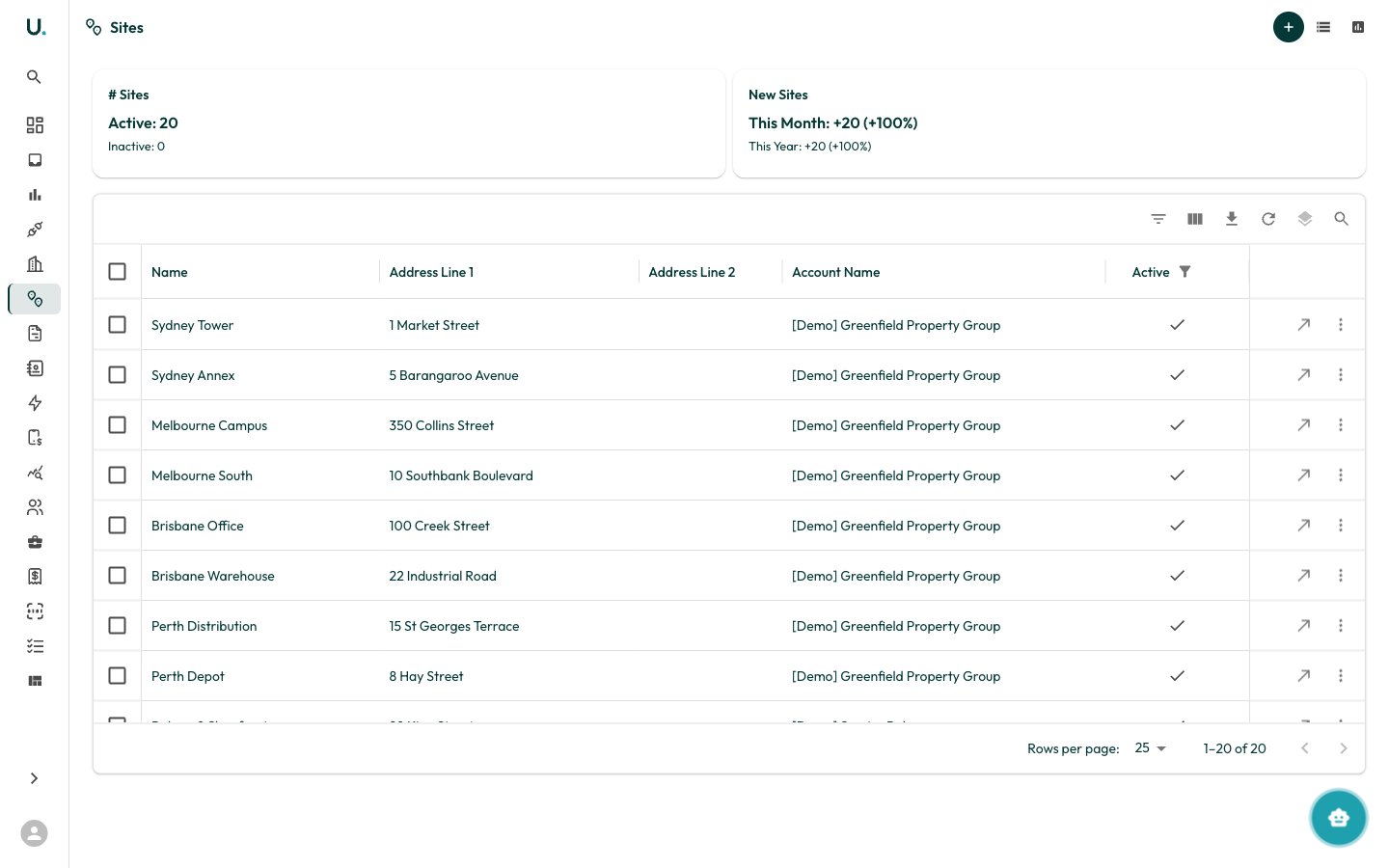
The Sites page displays all sites across your organisation in a data grid:
Summary cards at the top show:
- # Sites — Total active and inactive sites
- New Sites — Sites added this month and this year, with percentage growth
Toolbar actions
Alongside the standard grid toolbar (filter, column visibility, export, density, search), the header provides:- New Site (+ icon) — Create a new site
- Site Data — Jump to the site data records across all sites
- Data Types — Manage the site data type definitions
Creating a site
Click the + button in the top-right corner to create a new site. The drawer asks for aname and parent account (both required), then an address. Typing into the address field uses Google Places autocomplete to populate address_line_1, address_line_2, city, state, postcode, country, and the latitude/longitude coordinates. You can also add sites from within an account’s Sites tab.
Site detail page
Overview tab
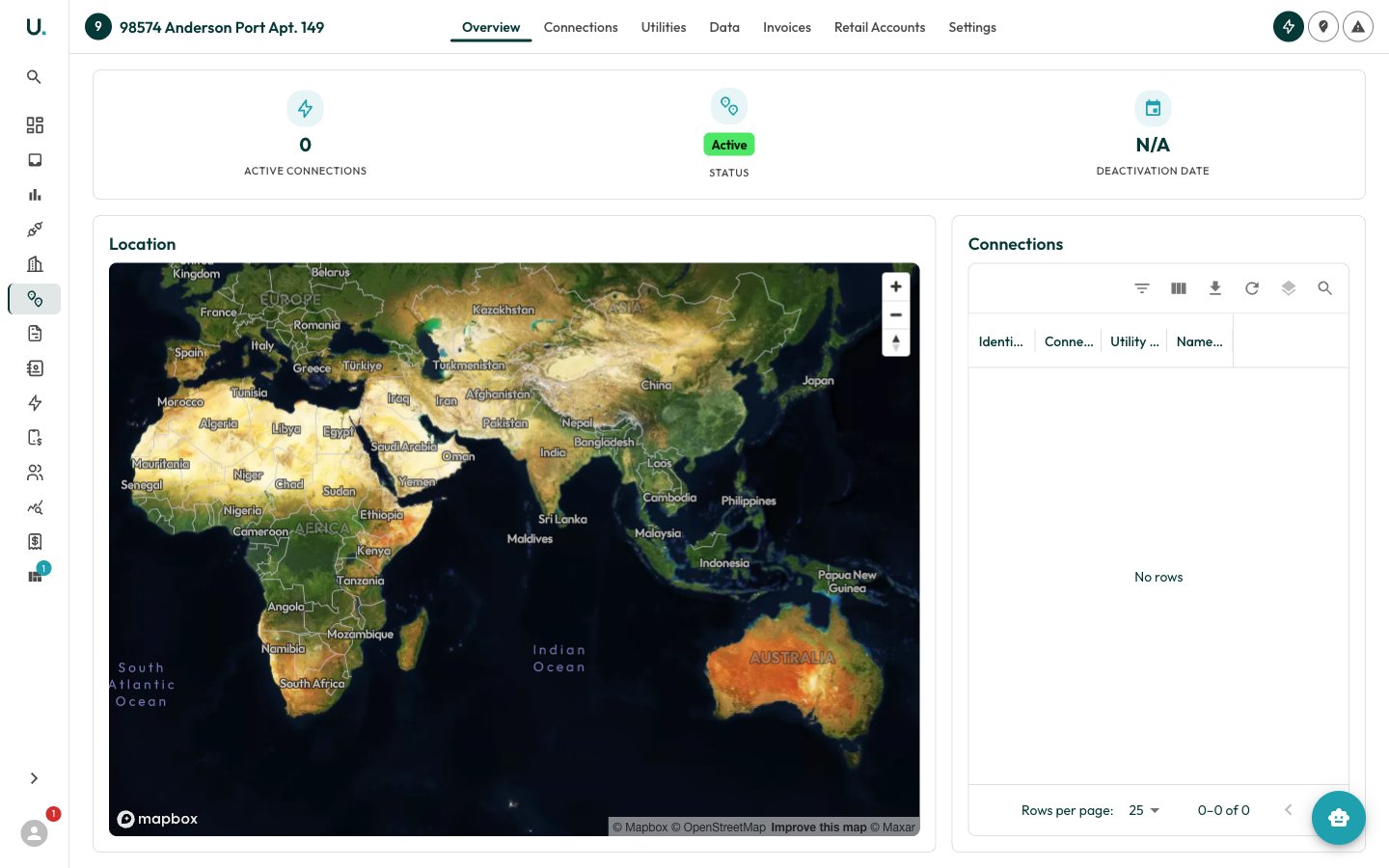
The Overview tab gives an at-a-glance summary of the site:- Stats row — Active Connections count, a Status chip (Active or Inactive), and the Deactivation Date (or N/A)
- Location — An interactive map centred on the site’s coordinates
- Connections — A grid of the active connections at the site, showing identifier, connection address, utility, and namespace
Settings tab
The Settings tab is where site data is maintained:- Site Details — Name, parent account, active status, and active/inactive dates
- Location Details — The full address, coordinates, and an Edit Site action to update the map pin
- Custom Fields — Organisation-defined fields stored against the site
- Danger Zone — Archive (deactivate) or permanently delete the site