

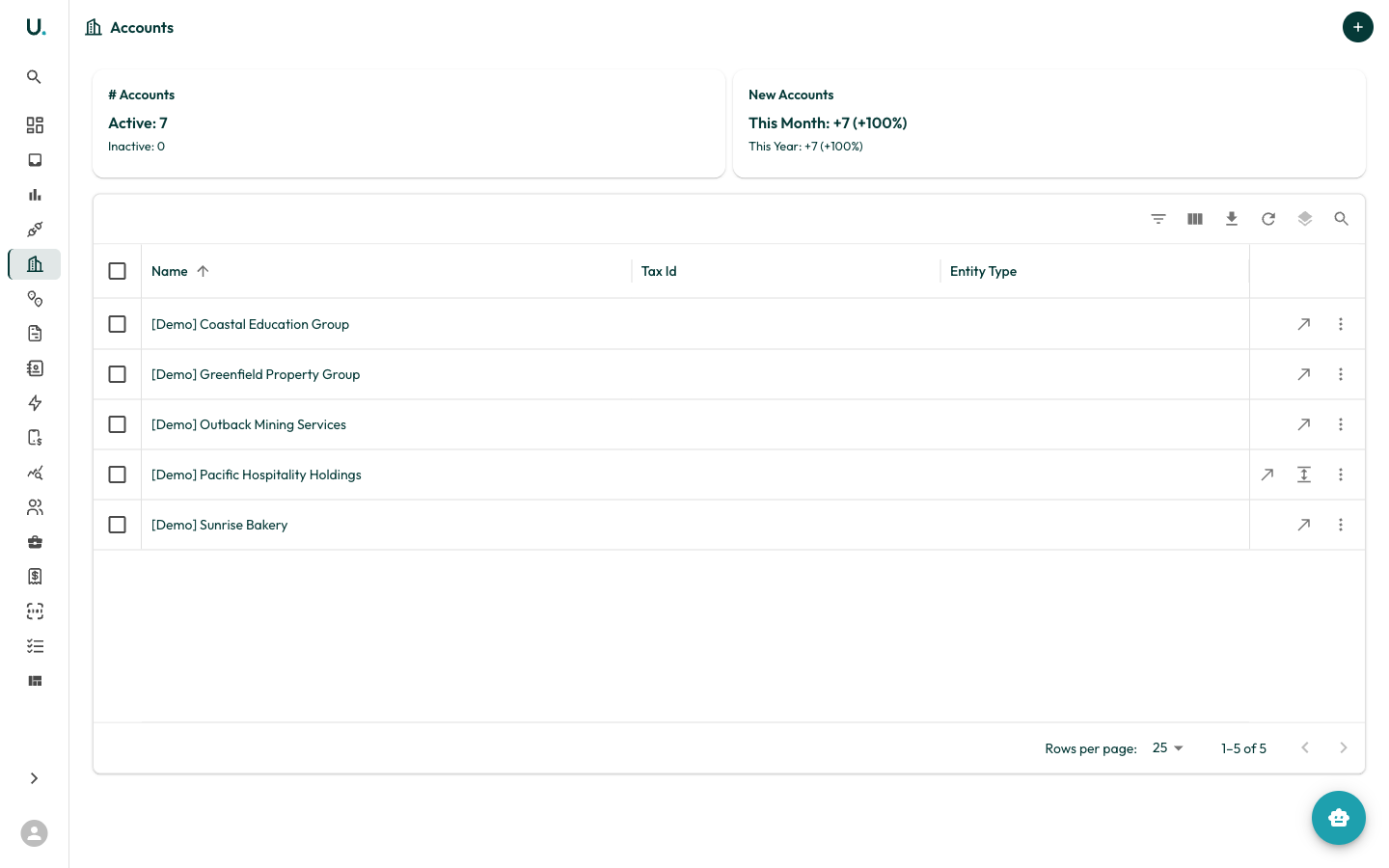
Accounts list
The Accounts page displays all accounts in your organisation in a data grid with the following columns:
Summary cards at the top show:
- # Accounts — Total active and inactive accounts
- New Accounts — Accounts added this month and this year, with percentage growth
Toolbar actions
The data grid toolbar provides:- Filter — Filter accounts by any column
- Column visibility — Show or hide columns
- Export — Download account data as CSV
- Refresh — Reload the data
- Density — Toggle between compact, standard, and comfortable row heights
- Search — Quick-search across all visible columns
Row actions
Each row has action buttons on the right:- See Details (arrow icon) — Navigate to the account detail page
- Quick Edit (pencil icon) — Open a drawer to edit account fields inline
- More (three dots) — Additional actions
Creating an account
Click the + button in the top-right corner to create a new account. You are prompted to enter the account name, tax ID, entity type, and other details.Account detail page
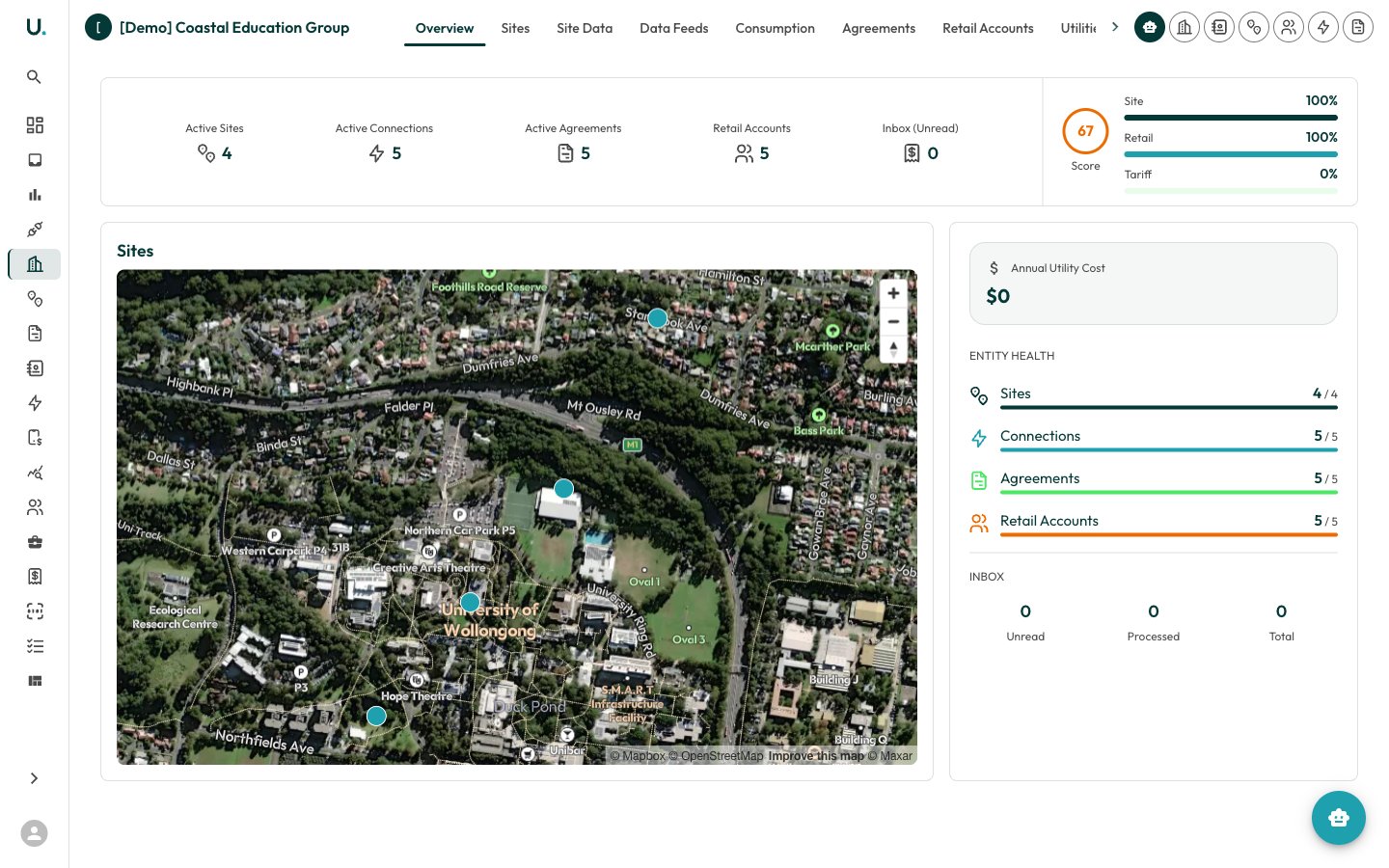
Overview tab
The Overview tab provides an at-a-glance summary:- Summary Cards — Active Sites, Active Connections, Active Agreements, Retail Accounts, and Inbox (Unread) counts
- Score — An entity health score showing completeness of Site, Retail, and Tariff data as percentages
- Sites Map — Interactive map showing the geographic location of all sites under this account
- Annual Utility Cost — Total annual energy expenditure
- Account Details — Entity type and other key information
- Entity Health — Progress bars showing Sites, Connections, Agreements, and Retail Accounts with active vs total counts
- Inbox — Unread, Processed, and Total inbox items for this account