

/datahub. The home page groups reference data into collapsible categories — Temporal Data, Technical Specifications, Geographic Reference, and Infrastructure — and a Search data types… field in the top-right filters the cards as you type.
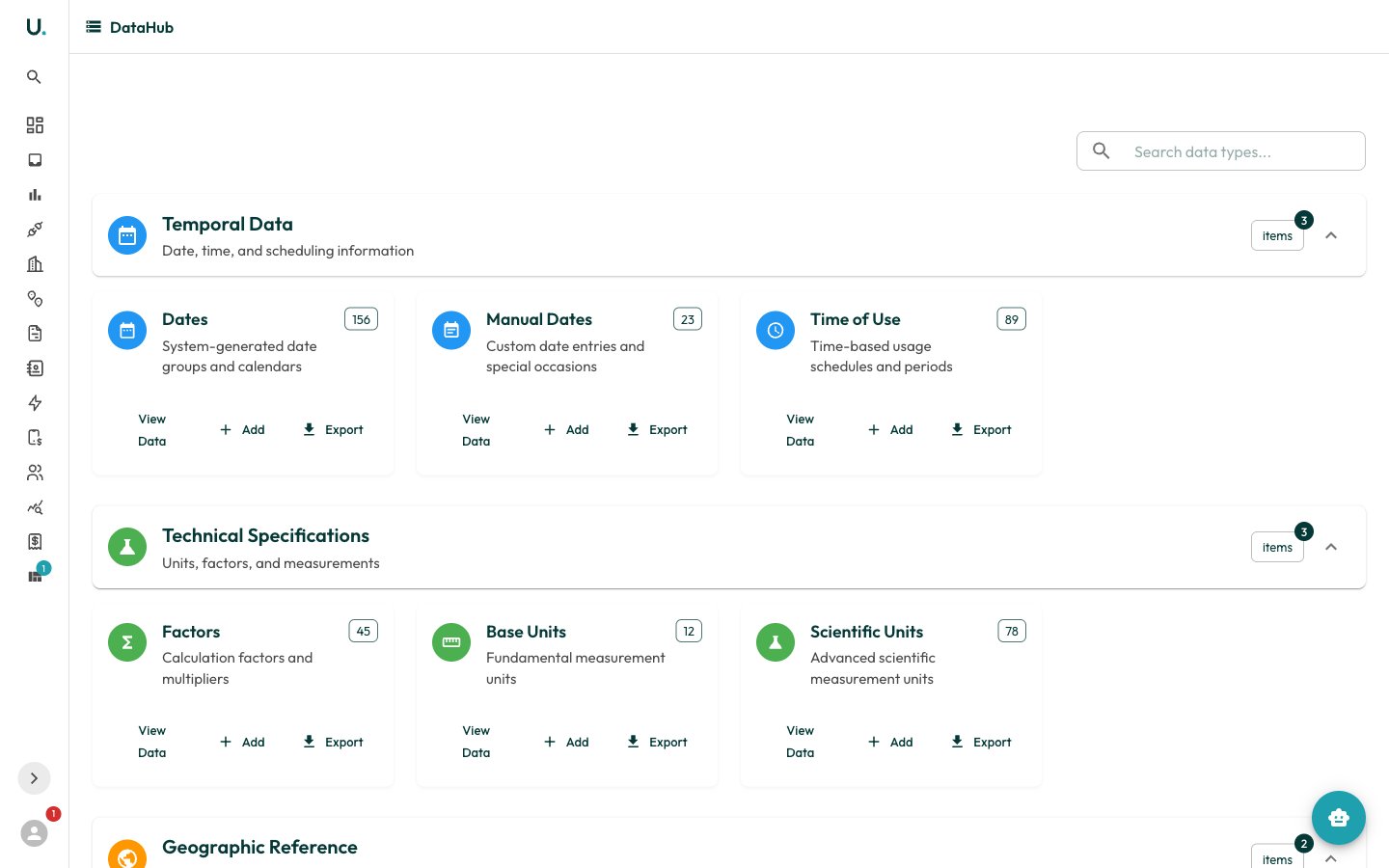
- View Data — open the full record list for that type in a dialog
- Add — create a new reference record
- Export — download the records
DataHub holds organisation-shared reference data rather than account-specific records. Changes here can affect how tariffs are priced and how invoices are validated, so edit with care.
Dates
Date groups are system-generated calendars (for example, public-holiday sets) that time-of-use schedules reference to decide which periods apply on a given day. Manual Dates let you add custom or one-off entries on top of the generated groups. A date group’s detail page exposesid, name, description, date_type, and active.
Factors
Factors are the calculation factors and multipliers applied during energy and cost calculations — for example, converting or scaling a metered value before it feeds a tariff or report. A factor group’s detail page exposesid, name, description, type, and active.
Time of Use (TOU)
Time-of-use records define the time-based periods — such as peak, off-peak, and shoulder — that tariffs price differently. They are the backbone of TOU tariff structures, so accurate TOU definitions are essential for correct invoice validation. A TOU record’s detail page exposesid, name, description, type, and active.
Units
Units are the measurement units used throughout the platform. Base Units are the fundamental units (for example, kWh for electricity, MJ for gas, kL for water), while Scientific Units cover more advanced measurements. Consistent units let UMS normalise consumption across utility types for reporting and validation. A unit’s detail page exposesid, name, symbol, description, type, and active.
Adding a reference record
1
Open the data type
On the DataHub home page, find the card for the reference type you want (for example, Time of Use).
2
Start a new record
Click Add on the card to begin creating a new entry.
3
Fill in the details
Enter the
name, description, and type-specific fields, and set Active as appropriate.4
Save
Save the record. It immediately becomes available to the tariffs, validation, and reports that reference it.