

Viewing tariffs
Navigate to the Tariffs page from the sidebar.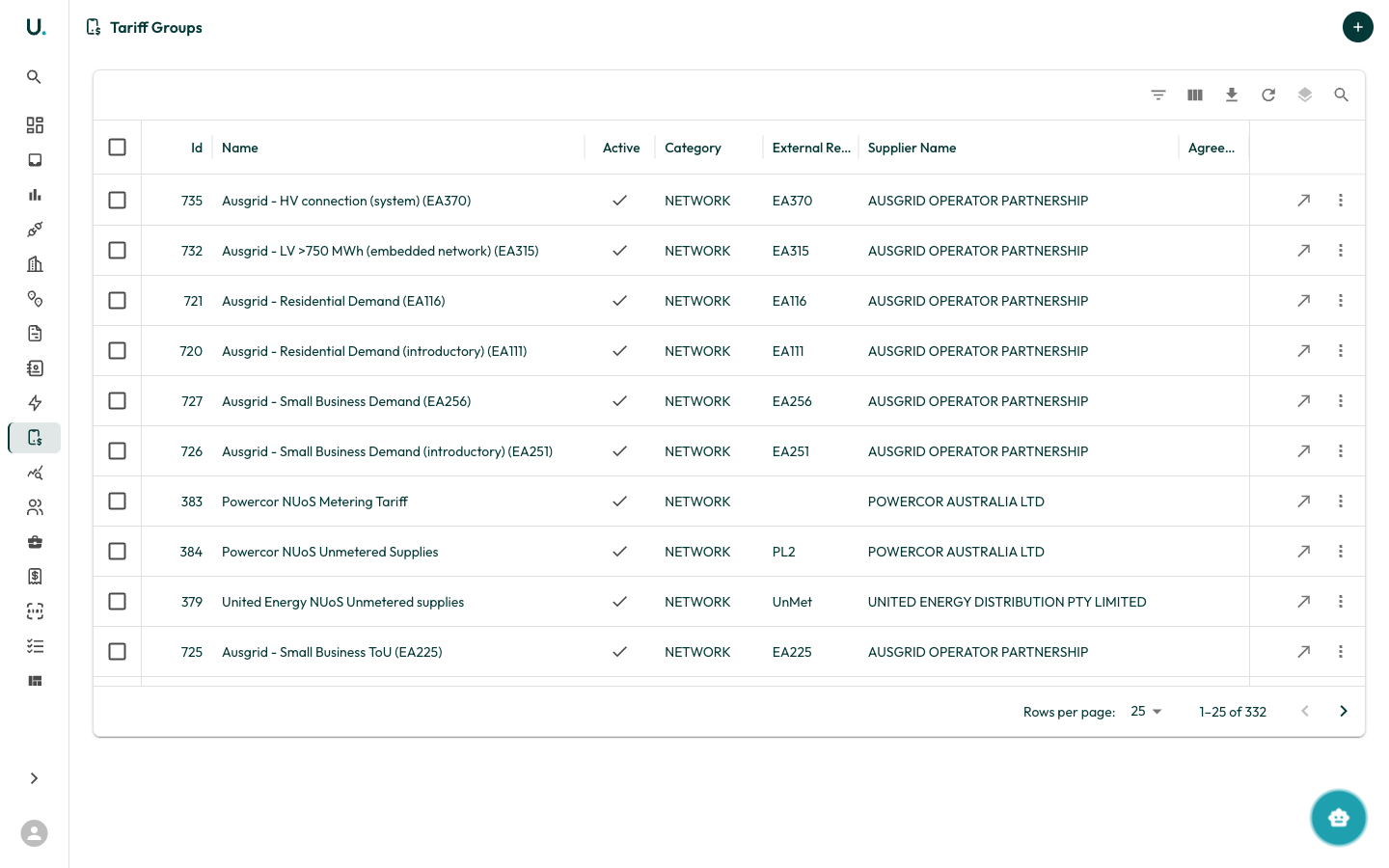
Creating a tariff
Tariffs are typically created from within an agreement’s Tariffs tab.1
Open the agreement detail page
Navigate to an agreement’s detail page.
2
Open the Tariffs tab
Click the Tariffs tab.
3
Start the Tariff Creation Wizard
Click New Tariff to open the Tariff Creation Wizard.
Tariff wizard steps
1
Template selection
Choose whether to start from an existing tariff template or create from scratch.
2
Input method
Select how you want to enter tariff rates:
- Manual Entry — Build the tariff structure interactively.
- CSV Upload — Import rates from a CSV file.
3
Tariff details
Configure the tariff group:
- Tariff Group Name — Descriptive name for the tariff
- Supplier — The energy retailer (pre-filled from agreement)
- Agreement — The linked agreement (pre-filled)
- Effective Dates — When this tariff applies
4
Rate builder (manual) or CSV import
Manual mode:
- Add time periods (for example, Peak, Off-Peak, Shoulder).
- For each period, add rates with:
- Description
- Rate value
- Unit (c/kWh, $/day, and so on)
- Applicable factors
- Upload a CSV file with columns for period, description, rate, and unit.
- The system validates the CSV and shows any errors.
5
Review and submit
Preview the complete tariff configuration and submit.