

Invoice detail page
Click See Details on any invoice to open the detail page.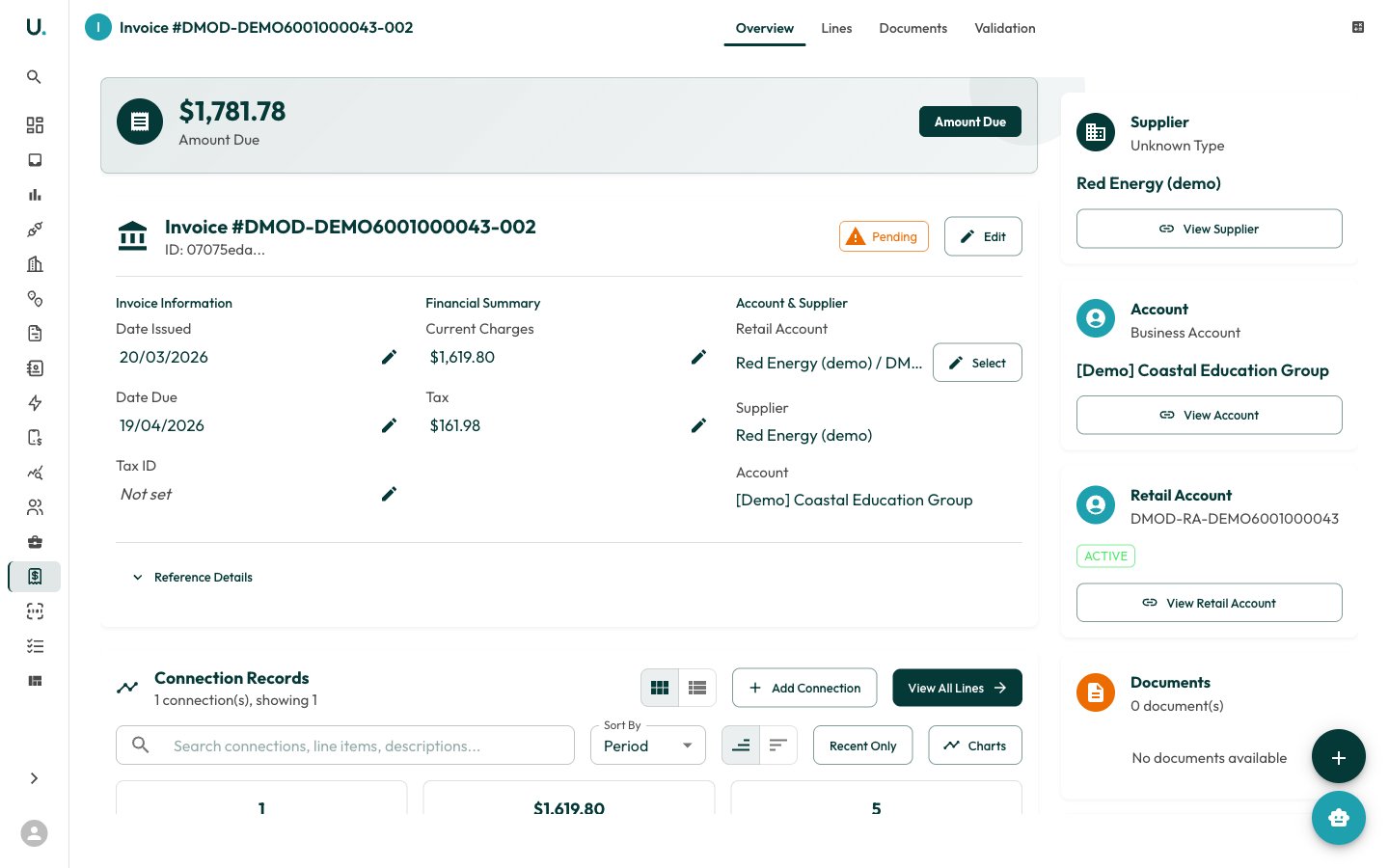
- Overview — Invoice summary with dates, amounts, supplier, and connection information
- Lines — Individual line items (charges) on the invoice
- Ledger — Accounting ledger entries for the invoice
- Documents — Attached PDF documents
- Review — Validation results, flagged review items, and rules
- History — Change history for the invoice
Editing line items
The Lines tab shows all charges on the invoice.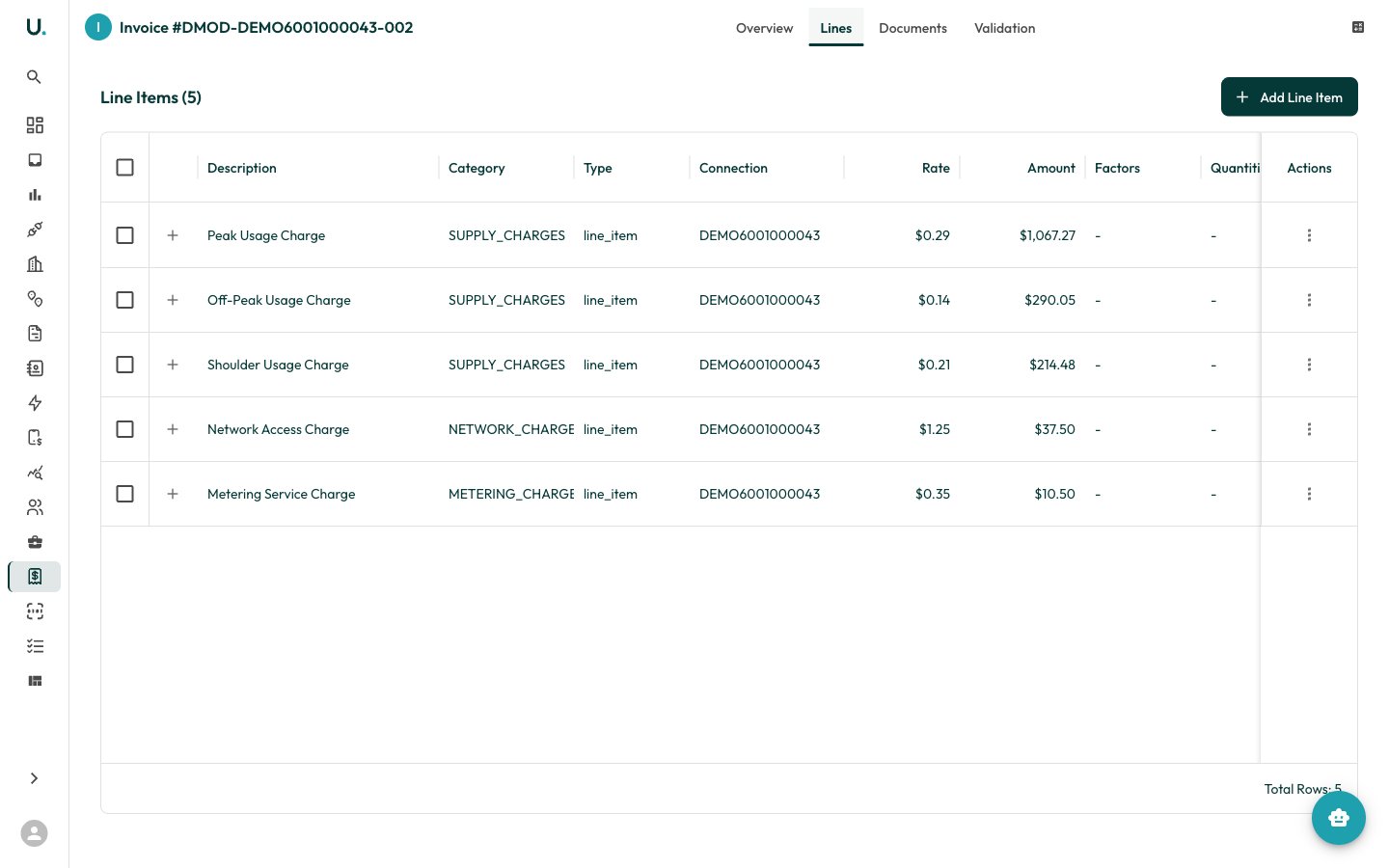
- Description — What the charge is for (for example, Peak Usage, Network Access)
- Category — Charge category
- Charge Type — Type of charge
- Rate — Unit rate applied
- Amount — Total charge amount
- Tax — Whether GST applies
- Connection — Which meter connection this charge relates to
Editing a line item
1
Open the line item editor
Click the edit icon on a line item row.
2
Edit the line details
The edit drawer opens with tabs:
- Details — Description, category, charge type, amount, tax flag, and unit rate/currency
- Quantities — Associated quantity records (kWh, MJ, kL)
- Factors — Tax and conversion factors
3
Save your changes
Make your changes and click Save.
Adding a line item
Click Add Line Item to create a new charge line on the invoice.Viewing documents
The Documents tab shows any attached files.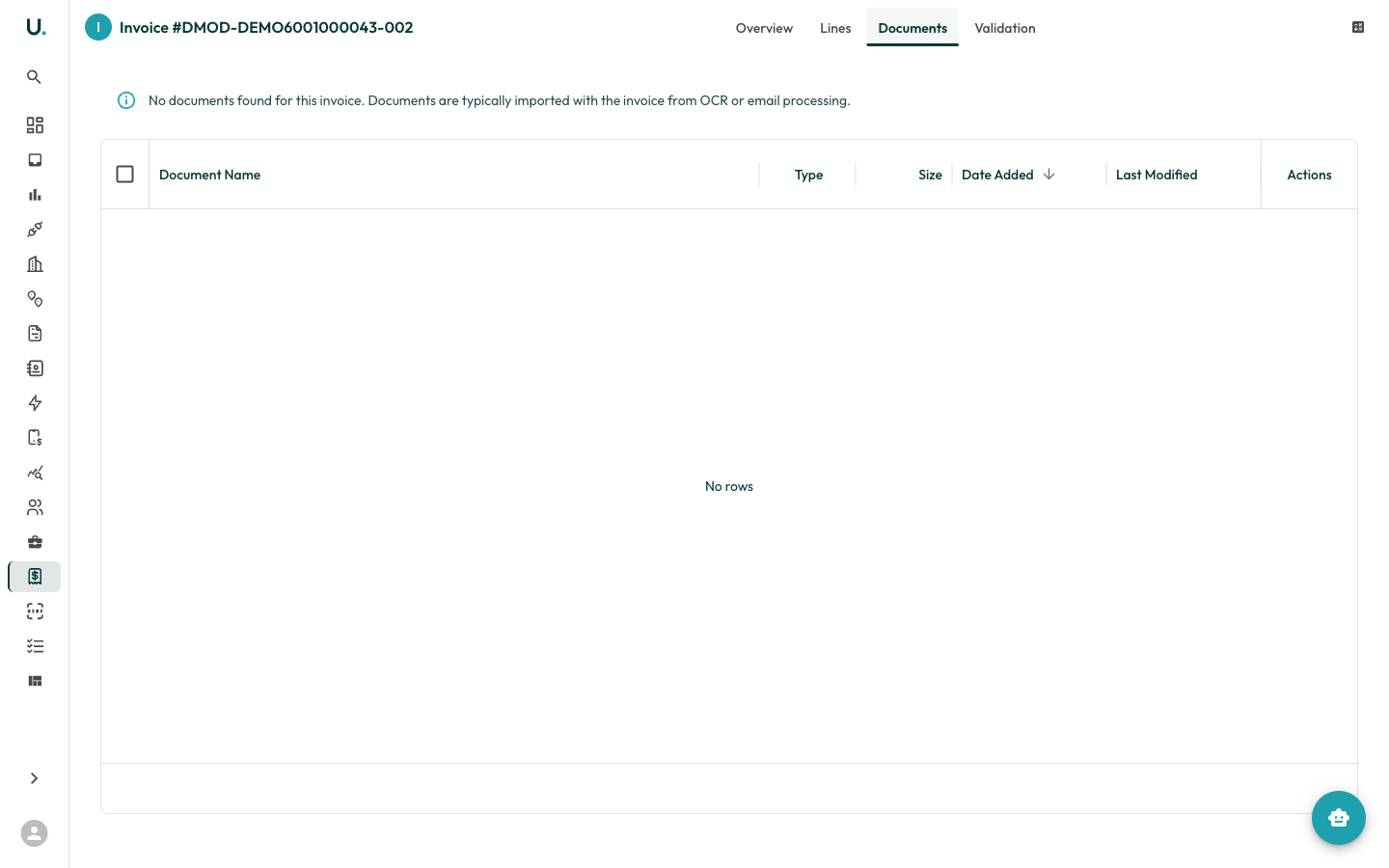
- Download individual documents
- Preview PDF invoices directly in the browser
- Upload additional documents
Running validation
From the invoice detail page header, click Validate to run the invoice through the validation engine. This checks:- Amount calculations match line items
- Dates are consistent
- Connection and retail account references are valid
- Rates match expected tariff rates